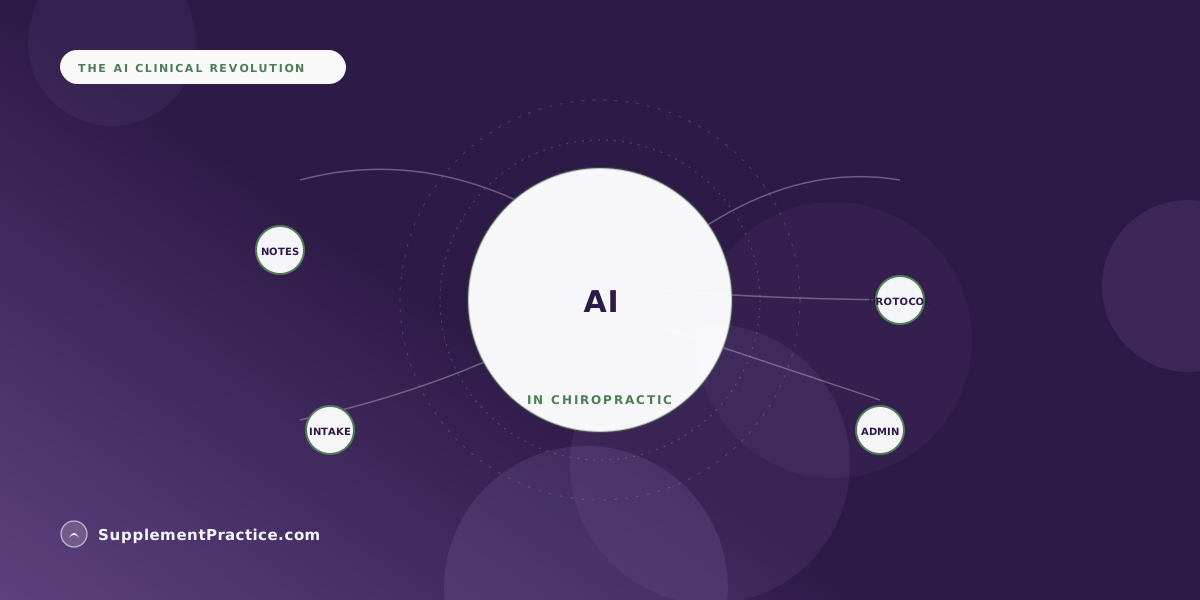
In 2026, chiropractors use AI for four practical jobs: drafting SOAP notes from the visit, summarizing patient intake, building first-draft supplement protocols, and automating front-desk admin like scheduling and reactivation. The pattern is consistent, AI produces the first draft and handles the busywork, while the chiropractor reviews, edits, and signs off. It is an assistant, not an autopilot, and not a diagnostic replacement.
Where Chiropractors Actually Use AI in 2026
- Ambient AI scribes draft SOAP notes from the conversation, cutting after-hours charting
- Intake summarizers turn long forms and histories into a one-screen briefing
- AI drafts evidence-based supplement protocols the chiropractor then edits and approves
- Printable, AI-generated supplement schedules improve patient adherence at home
- Front-desk AI handles scheduling, reminders, and dormant-patient reactivation
- Every clinical use keeps the chiropractor as reviewer and signer, not a bystander
- HIPAA still applies; any AI touching patient data needs a signed business associate agreement
AI became a quiet coworker, not a robot chiropractor
The honest headline for 2026 is that AI in chiropractic is useful and unglamorous. It is not diagnosing subluxations or replacing your hands. It is drafting the notes you dread, summarizing the intake you skim, proposing the supplement protocol you refine, and answering the phone that keeps ringing during adjustments. The clinics getting real value treat AI as a coworker who produces fast first drafts and never gets tired of paperwork.
Across the practices adopting it, the same four use cases keep surfacing. None of them ask you to trust a machine with clinical judgment. All of them give you back time.
1. Documentation: AI scribes that draft your SOAP notes
The most widespread use is ambient documentation. An AI scribe listens to the visit, or takes your short dictation, and produces a structured SOAP note you review and sign. For a chiropractor seeing 30 or more patients a day, this is the difference between charting at the dinner table and charting in the room. The productivity story here mirrors what other integrative offices report about beating charting fatigue in a busy practice, where the win is less about typing speed and more about closing notes the same day.
The guardrail is simple and non-negotiable: the AI drafts, you verify. You are still the author of the record, and you are responsible for its accuracy before it goes in the chart.
What makes ambient scribing work in a chiropractic setting specifically is the repetitive structure of the visit. Regional exams, adjustment notes, and progress comparisons follow patterns the AI learns quickly, so the drafts sharpen over the first few weeks. The time savings compound: a doctor who reclaims even fifteen minutes of charting per session buys back hours every week, and those hours tend to go back into patient care or simply into leaving on time.
2. Intake: turning long histories into a one-screen briefing
The second use is intake triage. New-patient forms, prior imaging notes, medication lists, and health histories get summarized into a concise briefing you can read in under a minute before you walk in. Instead of scanning six pages for the two facts that change your plan, the AI surfaces them. Used well, this makes the first visit feel prepared rather than rushed, and it flags the medication-and-supplement details that matter for safety.
Intake summarization quietly improves safety, too. Buried in a long history is often the one medication or prior surgery that should shape today's plan, and a summary that surfaces it up front is more reliable than a tired clinician skimming at the end of a packed day. The chiropractor still reads the source when it matters, but the AI decides what deserves a second look first, which is exactly the kind of judgment-support task it does well.
3. Supplement protocols: fast first drafts you refine
The third use is where chiropractic AI gets genuinely clinical, and where the guardrails matter most. AI can generate an evidence-informed first-draft supplement protocol from a patient's presentation, then you edit it against your own judgment and preferred brands. Practitioners are learning how to use AI to build evidence-based supplement protocols in seconds and then applying a critical eye, because a draft is a starting point, not a prescription. A major safety benefit is interaction screening, and there is real value in tools that help flag supplement-drug interactions before a patient walks out with a new regimen. From there, AI can render a clean, printable supplement schedule that patients actually follow at home.
The efficiency gain here is real, but so is the temptation to skip the review step when you are slammed. Resist it. The point of AI protocol drafting is that it gets you to eighty percent instantly, so your expertise goes into the twenty percent that is patient-specific, the interactions, the preferences, the brands you trust, not that it removes your judgment from the loop. A draft you rubber-stamp is worse than no draft at all.
| AI use case | What it does | Who keeps control |
|---|---|---|
| SOAP note drafting | Turns the visit into a structured note | Chiropractor reviews and signs |
| Intake summary | Condenses history into a briefing | Chiropractor decides what matters |
| Protocol drafting | Proposes a supplement plan | Chiropractor edits and approves |
| Interaction screening | Flags possible supplement-drug conflicts | Chiropractor makes the call |
| Front-desk automation | Books, reminds, reactivates | Staff sets rules and exceptions |
4. Admin: the front desk that runs itself
The fourth use is the least clinical and often the fastest payback. AI handles scheduling, appointment reminders, no-show follow-up, and dormant-patient reactivation, plus first-pass drafting of billing and reminder messages. This is where a practice recovers hours of staff time and revenue that used to leak out through missed reorders and forgotten follow-ups.
The reactivation piece deserves special attention, because it is where the revenue hides. Every practice has a long tail of patients who drifted away, meant to reorder a supplement, or never rebooked after a plan ended. AI can work that list systematically, drafting personalized outreach at a scale no front desk has time for, and turning a dormant database into booked visits and resumed refills. Done tastefully, it reads as good service rather than marketing.
A three-doctor chiropractic office in Austin adopts AI in stages
Dr. Marcus Bell's three-provider clinic in Austin started with a single use case: an AI scribe for documentation. Within a month, notes were finished before the doctors left the building. They then turned on intake summaries and, cautiously, AI-drafted supplement protocols, always edited by the treating doctor before anything reached a patient.
Because their record, protocols, and dispensary lived together in Supplement Practice, the AI could see the full picture, and the printable schedules it produced traveled home with the patient. The staff added automated reminders and reactivation last. The clinic did not see more patients per day; it simply stopped losing time and revenue between visits.
The rules that keep AI safe and compliant
Two boundaries define responsible AI use in a chiropractic office. First, AI is an assistant, not a decision-maker. It drafts, suggests, and flags; the licensed chiropractor reviews, edits, and owns every clinical output. Second, patient data is protected health information, so any AI tool touching it must operate under a signed business associate agreement and appropriate safeguards. The FDA's guidance on AI-enabled software and HHS HIPAA materials are the reference points, and they are worth reading before you connect a new tool to your records.
None of this is legal or clinical mandate, and AI capabilities and regulations are moving fast in 2026. Treat vendor claims skeptically, confirm HIPAA posture in writing, and keep a clinician in the loop on anything that reaches a patient. Used that way, AI in chiropractic is not hype; it is simply the least stressful part of your week.
Common mistakes chiropractors make with AI
- Signing AI notes without reading them. The draft is a starting point; you are the author and remain responsible for accuracy.
- Connecting tools with no BAA. Any AI that touches patient data needs a signed business associate agreement, full stop.
- Treating protocol drafts as prescriptions. AI proposes; your clinical judgment and preferred brands decide.
- Believing diagnostic claims. AI is not a diagnostic authority in the treatment room; do not let it play one.
- Bolting on ten tools at once. Practices that adopt one use case at a time keep quality control; big-bang rollouts create chaos.
Frequently asked questions
Can AI write chiropractic SOAP notes automatically?
Yes, AI scribes can draft a structured SOAP note from the visit conversation or your dictation, and this is the single most common chiropractic use in 2026. The critical caveat is that you must review, correct, and sign the note, because you remain the legal author of the record. Most practices find it eliminates after-hours charting rather than reducing note quality.
Is it safe to use AI for supplement recommendations in chiropractic?
It is safe when AI drafts and you decide. AI can propose an evidence-informed protocol and screen for possible supplement-drug interactions, but the licensed chiropractor must review and approve every plan. Treat the output as a first draft, never as an automatic prescription.
Does using AI in a chiropractic practice violate HIPAA?
Not by itself, but it can if you skip the safeguards. Any AI tool that processes protected health information must operate under a signed business associate agreement with appropriate security controls. Confirm a vendor's HIPAA posture in writing before connecting it to your records, and review the HHS HIPAA materials if you are unsure.
Will AI replace chiropractors?
No. AI in 2026 handles documentation, summaries, draft protocols, and admin, none of which is the hands-on clinical work that defines chiropractic. It removes busywork so chiropractors can focus on patients. The consistent pattern is augmentation, not replacement.
What is the easiest AI tool for a chiropractor to start with?
Most offices start with an AI scribe for documentation, because the payback is immediate and the risk is low. From there, intake summaries and automated reminders are natural next steps. Adopting one use case at a time keeps you in control of quality, which matters more than the specific vendor you choose.
Where to go next
Go deeper on what AI can and cannot do for a wellness practice, learn how to build protocols with AI in seconds, and see how to reduce charting fatigue.