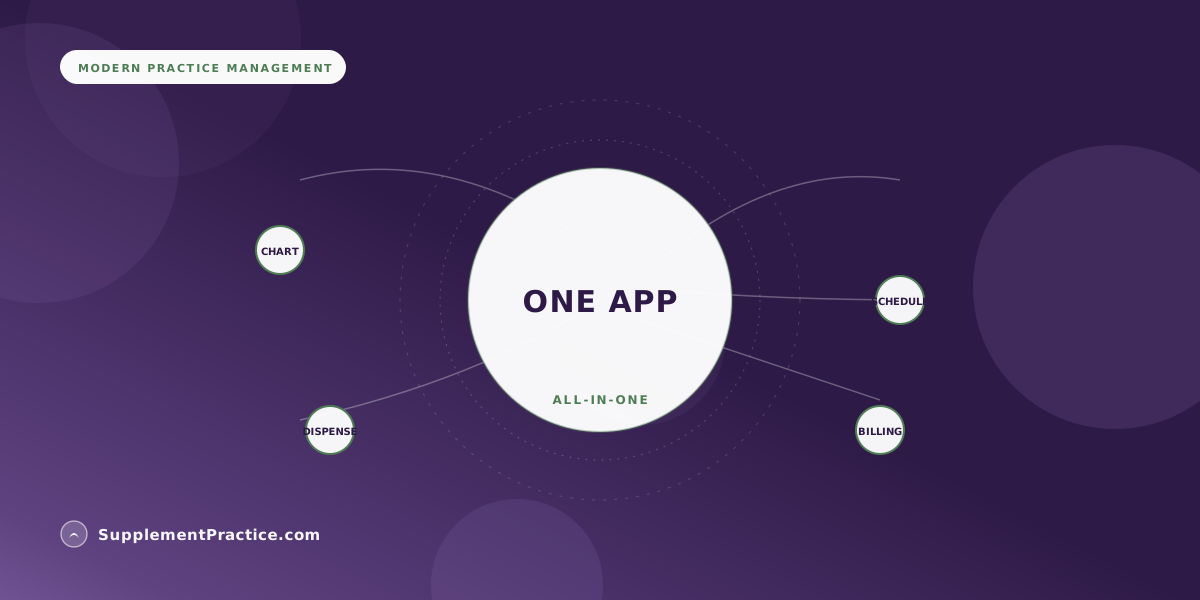
Yes — a wellness practice can run from a single app when charting, scheduling, supplement dispensing, and billing all share one patient record instead of living in separate tools that sync poorly. The catch is coverage: many apps claim all-in-one but bolt on a weak dispensary or no real charting. The test is whether a patient's chart, protocol, schedule, refills, and invoice are the same record — if they are, one app runs the practice; if they only integrate, you still have a stack.
What One-App Really Requires
- One app works when charting, scheduling, dispensing, and billing share a single record
- Integration is not the same as unification — synced tools still drift and double-enter
- The dispensary is where most all-in-one claims fall apart — check it hardest
- A unified record means one login, one source of truth, no copy-paste between systems
- Fewer tools means fewer BAAs, fewer bills, and a smaller compliance surface
- Non-tech-savvy clinicians benefit most from a single interface to learn
- Verify the app covers your must-haves before consolidating — do not assume parity
Yes — if the pieces are one record, not four apps holding hands
The dream of running a whole practice from one app is real and increasingly ordinary, but the word doing the heavy lifting is “one.” Plenty of software markets itself as all-in-one when what it actually means is that four separate products can be made to talk to each other through integrations. That is not one app; that is a stack with a shared login screen. The difference shows up on a busy afternoon, when a change to a patient's protocol in one module does not appear in another and you are back to copy-pasting. Genuine consolidation means the chart, the schedule, the protocol, the refill, and the invoice are facets of a single patient record.
When that is true, the practice genuinely runs from one place, and the benefits compound. Our broader argument for why all-in-one software is replacing the stack covers the industry shift; this article is about whether it can carry your entire operation, and how to tell before you commit.
The four pillars a wellness practice actually needs
For most nutritionists, chiropractors, naturopaths, and functional-medicine clinicians, a complete operating system is four things: charting, scheduling, dispensing, and billing. Charting has to fit how you actually work — narrative, functional, and protocol-driven notes rather than a rigid primary-care template, which is why charting software built for integrative practices matters so much. Scheduling has to handle your visit types and reminders. Dispensing has to run a real supplement catalog with protocols, schedules, inventory, and refills. Billing has to invoice and take payment. Miss any one and you are back to a second app, and the “one app” promise quietly breaks.
Where the all-in-one claim usually breaks: the dispensary
If you are going to stress-test a one-app claim, stress-test the dispensary. General practice-management platforms often bolt on a token supplement feature — a product list and a checkout — that cannot build a protocol, compute a dosing schedule, track inventory across the professional brands, or run automated refills. For a supplement-selling practice that is a dealbreaker, because dispensing is not a side feature; it is core clinical and financial workflow. A platform like Supplement Practice is built the other way around, with the professional dispensary (Standard Process, Xymogen, Metagenics, Designs for Health, and others) native to the same record as the chart. The lesson generalizes: whatever your practice leans on most is where you should push the app hardest before you trust it.
Integration versus unification — the distinction that decides it
Two apps that integrate still keep two databases; they copy data back and forth and drift when a sync fails. One app that unifies keeps a single database, so there is nothing to sync and nothing to drift. This is the whole ballgame. Unification is what delivers the real payoffs: one source of truth, no double data entry, no reconciling conflicting versions of a patient's protocol. Our guide to supplement protocol software goes deeper on why a shared record beats a bundle of connected tools, especially once supplements are in the mix.
The quiet wins beyond convenience
Consolidating to one app does more than save clicks. Every vendor that touches patient data needs a Business Associate Agreement and adds to your compliance surface; fewer tools means fewer BAAs and a smaller attack surface to secure. Fewer subscriptions means a simpler bill. And a single interface is dramatically easier to learn — which matters enormously if you are not especially technical, a theme our piece on the most intuitive software for non-tech-savvy doctors takes head-on. One app to master beats four, and the whole team is fluent faster.
Make a must-have list before you fall for a demo
The way to evaluate a one-app claim without getting dazzled is to write your requirements before you watch a single demo. List the things your practice cannot operate without — the specific note types you chart, the visit types you schedule, the professional supplement brands you dispense, the way you take payment — and turn each into a yes-or-no question you ask of the software. Demos are designed to show strengths and glide past gaps; a written checklist you control keeps the evaluation honest and makes it obvious when an app covers three pillars beautifully and the fourth barely at all.
Then test the seams, not just the features. Any app can show you a nice charting screen and a nice dispensary screen separately. The question that decides everything is what happens between them: build a protocol in the demo and watch whether it flows into a schedule, a refill, and an invoice without anyone re-typing it. If the person giving the demo has to switch modules and re-enter the patient, you have your answer — that is a stack wearing one login, and the workflow will cost you every day.
A functional-medicine solo in Colorado who retired her stack
Dr. Anita Vasquez ran her practice on five tools: an EHR, a separate scheduler, a spreadsheet for supplement inventory, a standalone dispensary storefront, and yet another app for invoicing. Nothing talked cleanly, so she re-entered the same patient data three times a visit and reconciled conflicting protocols by hand. She moved everything into Supplement Practice, where the chart, schedule, protocol, dispensary, and invoice are one record.
The double entry vanished because there was only one place to enter anything. A protocol she built during the visit generated the schedule, triggered the refill, and appeared on the invoice without a single copy-paste. She dropped four subscriptions and three of her five BAAs. What she noticed most was not the money — it was that she stopped being her own integration engineer and went back to being a clinician.
| Approach | How Data Lives | What You Deal With |
|---|---|---|
| Separate apps | Many databases, manual re-entry | Double entry, conflicting versions |
| Integrated stack | Many databases, synced | Sync failures, drift, multiple BAAs |
| Unified one app | One database, one record | One login, one source of truth |
Common mistakes when consolidating
- Confusing integration with unification. Synced separate apps still drift and double-enter; only a shared record truly runs from one place.
- Not stress-testing the dispensary. A token supplement feature that cannot build protocols or run refills breaks the one-app promise for a dispensing practice.
- Assuming feature parity. Verify the app covers your must-have charting, scheduling, dispensing, and billing before you drop your old tools.
- Ignoring the compliance upside. Fewer vendors means fewer BAAs and a smaller attack surface — a real, often-missed benefit.
- Underrating the learning curve savings. One interface to master, not four, is a bigger deal than it sounds, especially for a small non-technical team.
How to decide, and the fine print
Make the call by listing what your practice cannot run without, then verifying the single app does all of it well — not that it technically has a checkbox, but that the workflow holds up under a real patient day. Be realistic, too, about the one honest tradeoff: a unified app may not have the single deepest feature in every category the way a specialized point solution does, and for most small practices that tradeoff is worth it — a great shared record beats a slightly better standalone scheduler you have to reconcile by hand. But if one function is the entire heart of your practice and the all-in-one covers it only adequately, weigh that carefully before you consolidate. If it covers your four pillars on one shared record, yes, you can run the whole practice from one app, and most small wellness practices are better off doing so. One caveat: the compliance obligations do not shrink just because the tools did. HIPAA still applies, you still need a BAA with your one vendor, and security-rule expectations still hold. Those rules, along with anything touching billing and taxes, vary and change over time, so treat this as general guidance and verify specifics with a qualified attorney or CPA before you consolidate.
Frequently asked questions
Can one app really replace my whole software stack?
Yes, if it truly unifies charting, scheduling, dispensing, and billing on one shared record rather than integrating four separate tools. The test is whether a patient's chart, protocol, schedule, refill, and invoice are the same record. If they only sync, you still have a stack — see why all-in-one is replacing the stack.
What is the difference between integration and unification?
Integration keeps separate databases that copy data back and forth and drift when a sync fails; unification keeps one database with nothing to sync. Only unification delivers a single source of truth and no double entry. It is the distinction that decides whether one app can run your practice.
Where do all-in-one apps most often fall short?
The dispensary. Many platforms bolt on a token supplement checkout that cannot build protocols, compute schedules, track inventory, or run refills. For a supplement-selling practice that is a dealbreaker, so stress-test dispensing hardest before trusting any one-app claim.
Is one app safer for HIPAA compliance?
It reduces your surface area. Every vendor touching patient data needs a BAA and adds risk, so fewer tools means fewer BAAs and less to secure. But obligations do not vanish — you still need a BAA with your one vendor and must meet HIPAA requirements.
Is one app better for a non-technical clinician?
Usually, yes. A single interface to learn beats four, so a small non-technical team becomes fluent faster and spends less time being its own integration engineer. Our guide to intuitive software for non-tech-savvy doctors covers what to look for.
Where to go next
Read why all-in-one software is replacing the stack, the complete guide to supplement protocol software, and our buyer's guide for small wellness clinics.