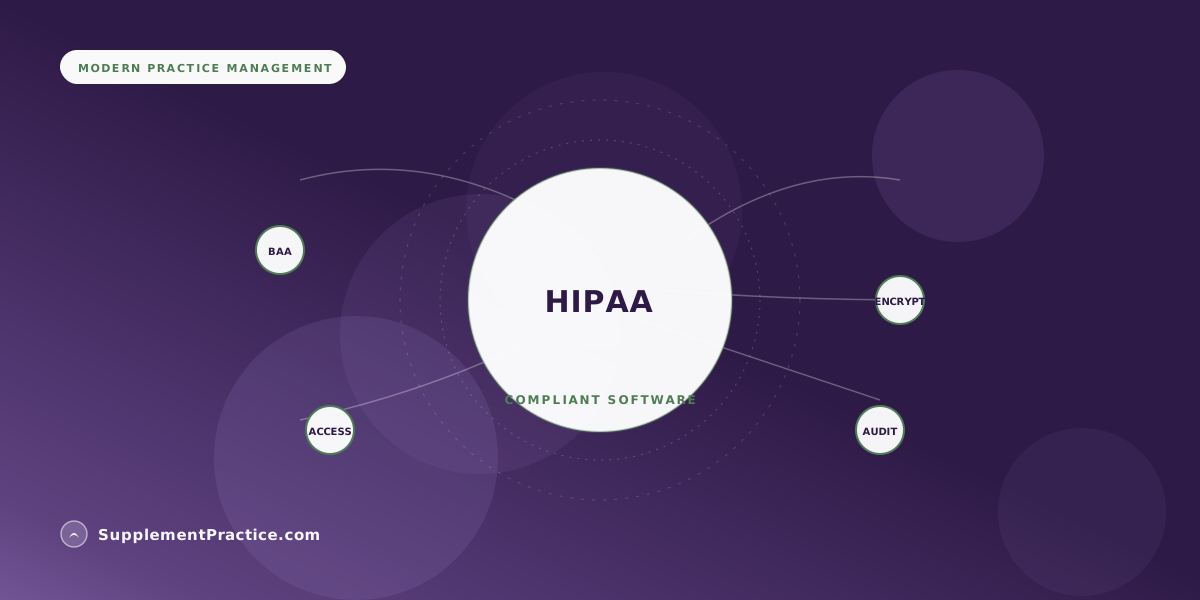
HIPAA-compliant software for a wellness practice is defined by four concrete things: a signed Business Associate Agreement, encryption of protected health information in transit and at rest, role-based access controls with audit logging, and a documented breach-notification process. A badge in the footer is not compliance. This guide explains what to verify before you store a single patient record.
The Four Things That Actually Make Software HIPAA-Compliant
- A signed Business Associate Agreement (BAA) — the legal foundation
- Encryption in transit (TLS) and at rest (AES-256 or equivalent)
- Role-based access controls so staff see only what they need
- Audit logs that record who viewed or changed each record
- Documented breach-notification and incident-response process
- PHI kept out of URLs, analytics, and third-party trackers
- A vendor architected for PHI — not an e-commerce tool with a badge
Compliance is a set of controls, not a logo
Wellness practitioners are told to look for "HIPAA compliant" software the way they'd look for an organic label — as a single trustmark that settles the question. It doesn't work that way. HIPAA compliance is a set of administrative, physical, and technical safeguards defined by the Security Rule, and software either implements them or it doesn't. A vendor can print "HIPAA compliant" in a footer with no signed agreement, no encryption at rest, and no audit trail. The badge is marketing; the controls are the thing.
This matters acutely for supplement-dispensing practices because the data is easy to underestimate. A supplement recommendation attached to a patient's name is protected health information. So is an intake form, a symptom survey, a superbill, and a reorder history tied to a person. If your software stores any of that, it is handling PHI, and the four controls below are what separate a compliant system from a liability.
Control 1: The signed BAA is the foundation
A Business Associate Agreement is the contract in which a software vendor legally accepts responsibility for safeguarding the PHI you route through them. Under HHS guidance, any vendor that creates, receives, maintains, or transmits PHI on your behalf is a business associate and must sign one. If a vendor cannot or will not provide a signed BAA, the conversation is over — using them puts your practice out of compliance regardless of how secure the product feels. Ask for the BAA before you enter a patient name, not after.
The BAA is also where you learn how seriously a vendor takes this. A real BAA specifies breach-notification timelines, subcontractor obligations, and data-return-or-destruction terms on termination. A vendor that hands you a serious document has thought about PHI; one that gets flustered by the request has not.
Control 2: Encryption in transit and at rest
Two separate protections are required. In transit means data moving between the patient's browser, your device, and the server is encrypted with TLS — the same protection online banking uses. At rest means the data sitting in the database is encrypted too, typically with AES-256, so that a stolen disk or a compromised backup is unreadable. Many e-commerce-derived storefront tools encrypt in transit but store PHI in plaintext at rest, which is the gap that turns a minor incident into a reportable breach.
Control 3: Access controls and audit logs
The Security Rule requires that access to PHI be limited to the minimum necessary for each role. In practice that means a front-desk scheduler shouldn't see clinical notes, and a part-time contractor's access ends when their engagement does. Role-based access controls enforce this; audit logs prove it. An audit log records who viewed or modified each record and when — which is both a compliance requirement and your best defense if a patient ever questions who accessed their file. Software without an audit trail cannot demonstrate compliance even if it is otherwise secure.
An acupuncturist who found the gap during onboarding
A solo acupuncturist was preparing to move her intake forms and supplement recommendations off email and into a practice platform. Her diligence was simple: she asked two vendors for a signed BAA and for documentation of encryption at rest. One vendor — a popular storefront-first tool — could provide neither, and a support rep eventually confirmed the product was "not designed to store clinical data." The other returned a signed BAA and a security page specifying AES-256 at rest, TLS in transit, and per-user audit logging.
The decision made itself. The lesson she took away: the two questions that took ten minutes to ask would have taken a breach to answer the hard way. She now stores intake, protocols, and superbills in the compliant system and keeps PHI out of email entirely.
Control 4: The quiet leaks — URLs, analytics, and trackers
The failures that catch well-meaning practices aren't dramatic hacks; they're quiet leaks. PHI in a URL query string gets logged by every server and proxy in the path and shows up in browser history. A generic analytics or advertising tracker embedded on a patient portal can transmit identifiers to a third party that never signed a BAA — a pattern regulators have pursued aggressively. Compliant software keeps PHI out of URLs, scopes analytics carefully, and never loads third-party trackers on pages that render patient data. When you evaluate a platform, open a patient page and look at the address bar and the network requests; you'll learn a lot.
Verification checklist for any vendor
| What to ask | Acceptable answer | Red flag |
|---|---|---|
| Will you sign a BAA? | Yes, here it is | "We're HIPAA compliant" with no document |
| Encryption at rest? | AES-256 or equivalent | "Everything's over HTTPS" (that's transit only) |
| Access controls? | Role-based, per user | One shared login |
| Audit logging? | Per-record, who and when | None available |
| Breach process? | Documented, in the BAA | Undefined |
| Third-party trackers on PHI pages? | None | Ad/analytics pixels present |
Common mistakes wellness practices make with HIPAA and software
Five compliance gaps we see repeatedly
- Trusting the badge. "HIPAA compliant" text is unregulated. The signed BAA is the only claim that carries legal weight.
- Confusing HTTPS with full encryption. Transit encryption is necessary but not sufficient; ask specifically about encryption at rest.
- Emailing intake forms and protocols. Standard email is not a compliant channel for PHI. Use the portal, not the inbox.
- Sharing one login across staff. A shared account destroys the audit trail and violates the minimum-necessary principle.
- Bolting a storefront onto a clinical workflow. Tools built for e-commerce often store PHI in ways never designed for it. Verify architecture, not just features.
Why this belongs in one platform
Every additional system that touches patient data is another BAA to secure, another set of access controls to manage, and another surface for a quiet leak. That's a large part of why practices consolidate: a single HIPAA-eligible platform that holds the chart, the protocol, the schedule, and the dispensary reduces both the compliance burden and the number of vendors who can see PHI. If you're weighing that consolidation, our guides to HIPAA-compliant EHRs with protocol tooling and HIPAA-compliant telehealth with integrated billing extend the same principles into charting and virtual care. Compliance is not a feature you switch on — it's a property of how few places your patients' data has to live.
What HIPAA-compliant practice management software has to cover
HIPAA-compliant practice management software is not a single feature you switch on — it is the same four controls applied across every module that touches patient data. The scheduler, the chart, the billing system, the patient portal, and the supplement dispensary each store or transmit protected health information, so each has to sit behind the signed BAA, the encryption, the access controls, and the audit logging. The practical advantage of an all-in-one platform is that those controls are implemented once, in one record, rather than re-verified across five separate vendors — which is why "HIPAA compliance for wellness tech" is really a question about how few systems your patients' data has to live in.
Frequently asked questions
What makes software actually HIPAA compliant?
Four concrete controls: a signed Business Associate Agreement, encryption of PHI both in transit (TLS) and at rest (AES-256 or equivalent), role-based access controls with per-record audit logging, and a documented breach-notification process. A 'HIPAA compliant' label with none of these underneath is marketing, not compliance.
Do I really need a signed BAA from my software vendor?
Yes. Any vendor that creates, receives, maintains, or transmits protected health information on your behalf is a business associate under HHS rules and must sign a BAA. If a vendor won't provide one, using them puts your practice out of compliance no matter how secure the product appears.
Is HTTPS enough to be HIPAA compliant?
No. HTTPS encrypts data in transit, which is necessary but not sufficient. HIPAA-compliant software must also encrypt PHI at rest in the database, enforce access controls, and maintain audit logs. Many storefront tools cover transit but store patient data in plaintext at rest.
Is a supplement recommendation considered PHI?
When it is attached to an identifiable patient, yes. Intake forms, symptom surveys, protocols, superbills, and reorder histories tied to a person are all protected health information, so any system storing them must meet HIPAA's technical and administrative safeguards.
Can I use regular email to send intake forms or protocols?
Standard email is not a compliant channel for PHI because it is generally unencrypted end to end and leaves copies on multiple servers. Use a HIPAA-eligible patient portal for intake, protocols, and any document containing identifiable clinical information.
What is HIPAA-compliant practice management software?
It is practice management software — scheduling, charting, billing, patient communication, and, for wellness practices, the supplement dispensary — built so that every module handling protected health information meets HIPAA's technical and administrative safeguards. Concretely that means a signed Business Associate Agreement, encryption in transit and at rest, role-based access controls, and per-record audit logging, applied across the whole platform rather than to one feature.
What does HIPAA compliance for wellness tech actually require?
The same controls regardless of how "wellness" the branding is: a signed BAA from the vendor, encryption of PHI in transit and at rest, minimum-necessary role-based access, audit logs, a documented breach process, and keeping PHI out of URLs, analytics, and third-party trackers. A "HIPAA compliant" label with none of those underneath is marketing, not compliance — the signed BAA is the only claim that carries legal weight.
Where to go next
To extend these controls across your whole workflow, read HIPAA-compliant EHRs with built-in protocol tooling and HIPAA-compliant telehealth with integrated billing, and see why fewer systems means less compliance surface in why all-in-one software is replacing the stack.