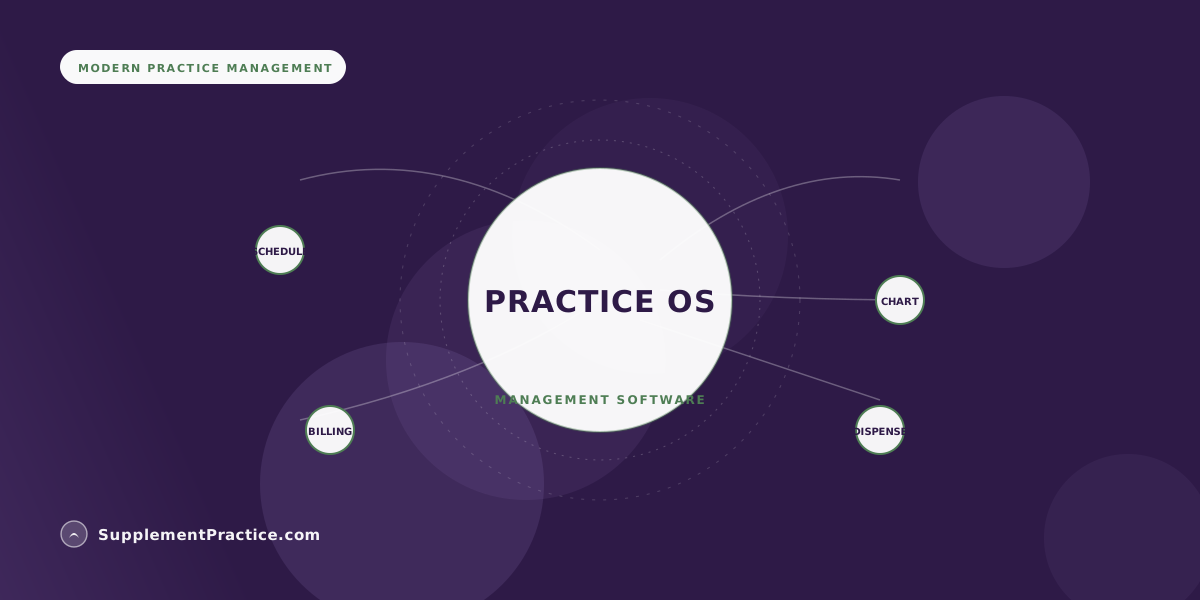
Healthcare practice management software is the operational backbone of a clinic — scheduling, charting, billing, patient communication, and, for wellness practices, the supplement dispensary. Small clinics get hurt not by picking a bad tool but by assembling five tools that don't talk to each other. This buyer's guide covers the modules that matter, the true cost of a fragmented stack, and how to evaluate the alternative.
The Five Modules a Wellness Clinic Actually Runs On
- Scheduling with reminders and online booking
- Clinical charting fit to your modality
- Invoicing, superbills, and payment processing
- Patient communication and a secure portal
- The supplement dispensary — protocol, inventory, reorder
- One shared patient record across all five, not five databases
- HIPAA-eligible infrastructure with a signed BAA
The problem isn't the tools — it's the seams between them
A small wellness clinic can assemble a complete operation from best-in-class point tools: one app for scheduling, another for charting, a third for invoicing, a storefront for supplements, and a messaging tool for patients. Each is good at its job. The trouble is the seams. Every boundary between two tools is a place where data has to be re-entered, reconciled, or simply lost — a patient booked in one system whose chart lives in another, a protocol built in a storefront that the invoice never sees, a phone number updated in three places and stale in a fourth. The cost of practice management software is rarely the subscription; it's the labor the seams create.
This is why the category has consolidated toward all-in-one platforms, a shift we've examined in why all-in-one software is replacing the stack. For a small clinic with thin admin support, the number of systems a task has to cross is the metric that actually predicts how much time the software wastes. This guide walks the five modules and how to judge them as a set, not individually.
Module 1: Scheduling that reduces no-shows on its own
Scheduling is the module patients touch most, so its quality is felt daily. The bar is online self-booking, automated reminders across text and email, and the ability to encode your real availability rules — buffer times, appointment types of different lengths, multiple providers and rooms. The payoff is concrete: automated reminders measurably cut no-shows, which for a small clinic is direct recovered revenue. We go deeper on this in our dedicated guide to HIPAA-compliant scheduling and telehealth with integrated billing.
Module 2: Charting fit to your modality
A chiropractor, a nutritionist, and an acupuncturist document differently, and generic charting forces all three into a shape that fits none well. The right practice management software either ships modality-appropriate templates or lets you build them, and — critically — keeps the note connected to the same record as the schedule and the invoice. Charting that lives in a silo becomes the source of your worst reconciliation problems, because the clinical truth and the billing truth drift apart.
Module 3: Billing, superbills, and payments in the same record
For most wellness clinics the billing need is not complex insurance claims but clean cash-pay invoicing, superbills patients can submit for reimbursement, and card processing that reconciles automatically. The failure mode is billing software that doesn't know what happened clinically, so someone re-keys the visit and the supplements into an invoice by hand. When billing draws from the same record as the chart and the dispensary, the superbill and the receipt generate themselves. Our guide to syncing invoices with Stripe and Square inside the clinical workflow covers the payment side in detail.
A solo naturopath running five disconnected tools
A naturopath built her practice on five subscriptions: a scheduler, a charting app, an invoicing tool, a supplement storefront, and a separate email platform. On paper it cost a manageable amount per month. In practice, onboarding one new patient meant entering their details four times, and every protocol change meant updating the chart, the storefront, and the invoice separately. Reconciling supplement revenue against what was actually dispensed took a half-day each month.
Consolidating onto a single platform removed four of the five re-entry points. A patient is entered once; the schedule, chart, dispensary, and invoice all read the same record. The monthly supplement reconciliation went from a half-day to a glance, because dispensing and billing are the same event. Her assessment wasn't that any one tool had been bad — it was that the seams between them had been quietly taxing every hour she worked.
Module 4: Patient communication and a secure portal
Patients expect to receive intake forms, message the practice, and access their protocols and documents without a phone call. The compliance catch is that all of this is PHI, so it has to run through a HIPAA-eligible portal rather than personal email or standard texting. A portal that's part of the platform means the intake a patient submits flows straight into their chart, and the protocol you finalize is instantly visible to them — no attachments, no re-entry. Communication bolted on as a separate tool re-creates the seam problem in the highest-stakes place: patient data.
Module 5: The dispensary is a core module, not an add-on
For a wellness practice, supplements are often a meaningful share of both clinical value and revenue, which makes the dispensary a first-class module rather than a plugin. It needs to build protocols from a live multi-brand catalog, handle both stocked inventory and drop-ship, track margin, and — because it touches the patient — live in the same record as the chart. Treating the dispensary as an afterthought bolted onto a generic practice management tool is the most common and most expensive version of the seam problem, because it splits clinical care, revenue, and safety all at once.
Total-cost-of-ownership: stack vs. platform
| Cost driver | Five-tool stack | Single platform |
|---|---|---|
| Subscriptions | 5 line items | 1 line item |
| Patient data entry | Re-keyed per tool | Once |
| BAAs to manage | Up to 5 | 1 |
| Monthly reconciliation | Hours | Minutes |
| Failure surface | Every seam | One record |
| Staff training | 5 interfaces | 1 interface |
Common mistakes small clinics make buying practice management software
Five buying errors that compound
- Comparing tools on subscription price. The seams cost more than the software. Compare on how many systems a routine task crosses.
- Best-of-breed everything. Five excellent tools that don't share a record can be worse operationally than one good platform that does.
- Treating the dispensary as a plugin. For a supplement practice it's a core module; bolting it on splits revenue and clinical safety.
- Skipping the reconciliation test. Ask a vendor to show you month-end: how supplement revenue reconciles against what was dispensed. The answer is revealing.
- Underrating training and turnover. One interface is far cheaper to train a new hire on than five, and small clinics turn over front-desk staff often.
Judge the set, not the parts
The instinct to assemble best-in-class point tools is reasonable and usually wrong for a small wellness clinic. What predicts wasted time isn't the quality of any single module — it's how many system boundaries your everyday work has to cross. A patient who is entered once and flows cleanly from booking to chart to dispensary to invoice is the entire value proposition of practice management software, and it's only achievable when those modules share a record. Evaluate on the seams. For most small clinics, the platform that does five things adequately in one record beats five tools that each do one thing beautifully and none of them together. If intuitiveness for non-technical staff is a priority, our guide to the most intuitive practice management software for non-tech-savvy doctors extends this decision.
Frequently asked questions
What is healthcare practice management software?
It is the operational backbone of a clinic — the software that runs scheduling, clinical charting, billing and payments, patient communication, and, for wellness practices, the supplement dispensary. The best versions run all of these against one shared patient record rather than as separate databases that have to be reconciled.
Is an all-in-one platform better than best-of-breed tools for a small clinic?
For most small wellness clinics, yes. Five excellent point tools that don't share a record force staff to re-enter data at every boundary and reconcile the results by hand. A single platform that keeps scheduling, charting, billing, and the dispensary in one record usually wins on total cost of ownership, even if any individual module is only very good rather than best-in-class.
What modules does a wellness clinic actually need?
Five: scheduling with reminders and online booking, charting fit to your modality, invoicing with superbills and payment processing, patient communication through a secure portal, and the supplement dispensary. The decisive requirement is that all five read and write the same patient record.
How should I compare the cost of practice management software?
Not by subscription price. Compare by how many separate systems a routine task has to cross, how many times patient data gets re-entered, how many BAAs you have to manage, and how long month-end reconciliation takes. The labor created by the seams between tools typically dwarfs the subscription difference.
Why is the supplement dispensary considered a core module?
Because for a wellness practice supplements are often a significant share of both clinical value and revenue, and the dispensary touches the patient record directly. Bolting it on as an external storefront splits clinical care, revenue tracking, and medication-interaction safety across two systems that inevitably drift apart.
Where to go next
To go deeper on individual modules, see syncing invoices with Stripe and Square, the most intuitive software for non-technical staff, and why all-in-one is replacing the stack.