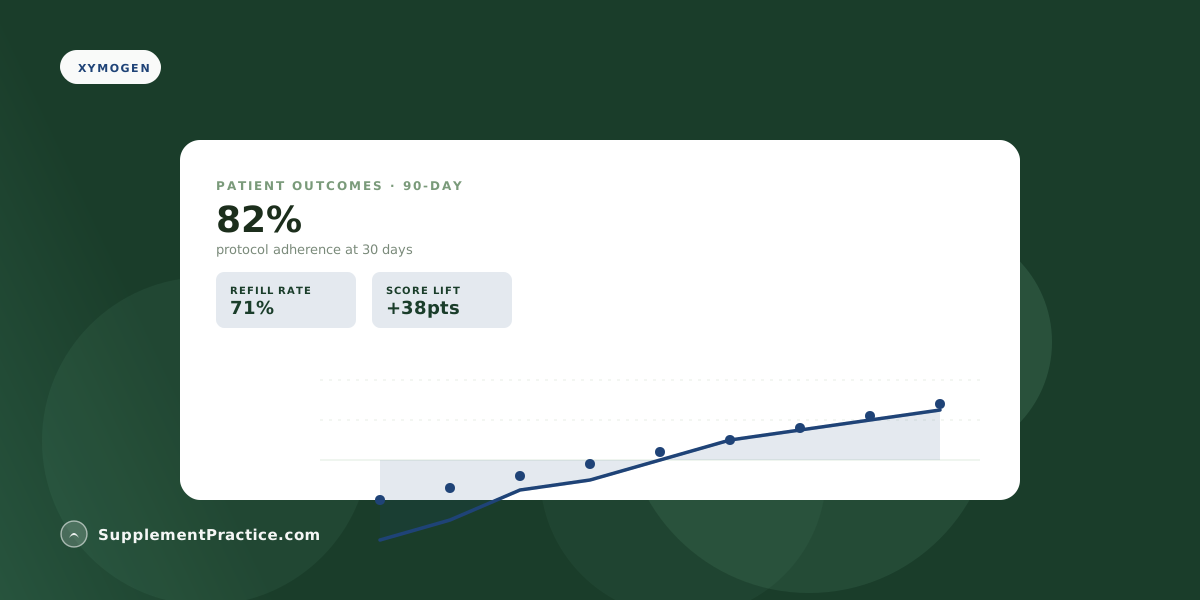
Track Xymogen patient compliance using the SupplementPractice.com dashboard — every approved Xymogen protocol generates a printable schedule, fires refill reminders, and tracks ePV fulfillment data into the patient outcome panel. Practitioners see per-patient and per-protocol compliance at 30/60/90 days. The compliance loop closes without any practitioner re-engagement work.
Quick Reference
Xymogen Compliance Tracking Loop
| Step | What Fires |
|---|---|
| Protocol approved | Printable schedule + ePV order |
| Day -7 from refill | Patient reminder email |
| Day 0 | Auto refill via ePV |
| Day 30 / 60 / 90 | Compliance check-in |
| Drop-off detected | Practitioner outreach prompt |
Compliance Is the Single Best Outcome Predictor
Patients hitting 80%+ compliance see 2–3x better outcomes than those who don't. The compliance dashboard isn't a vanity metric — it's the early-warning system for protocols that need adjustment.